THE PLATFORM
A place for every
part of the picture.
From the first overview to the individual entry. Four focused workspaces, connected by your account.
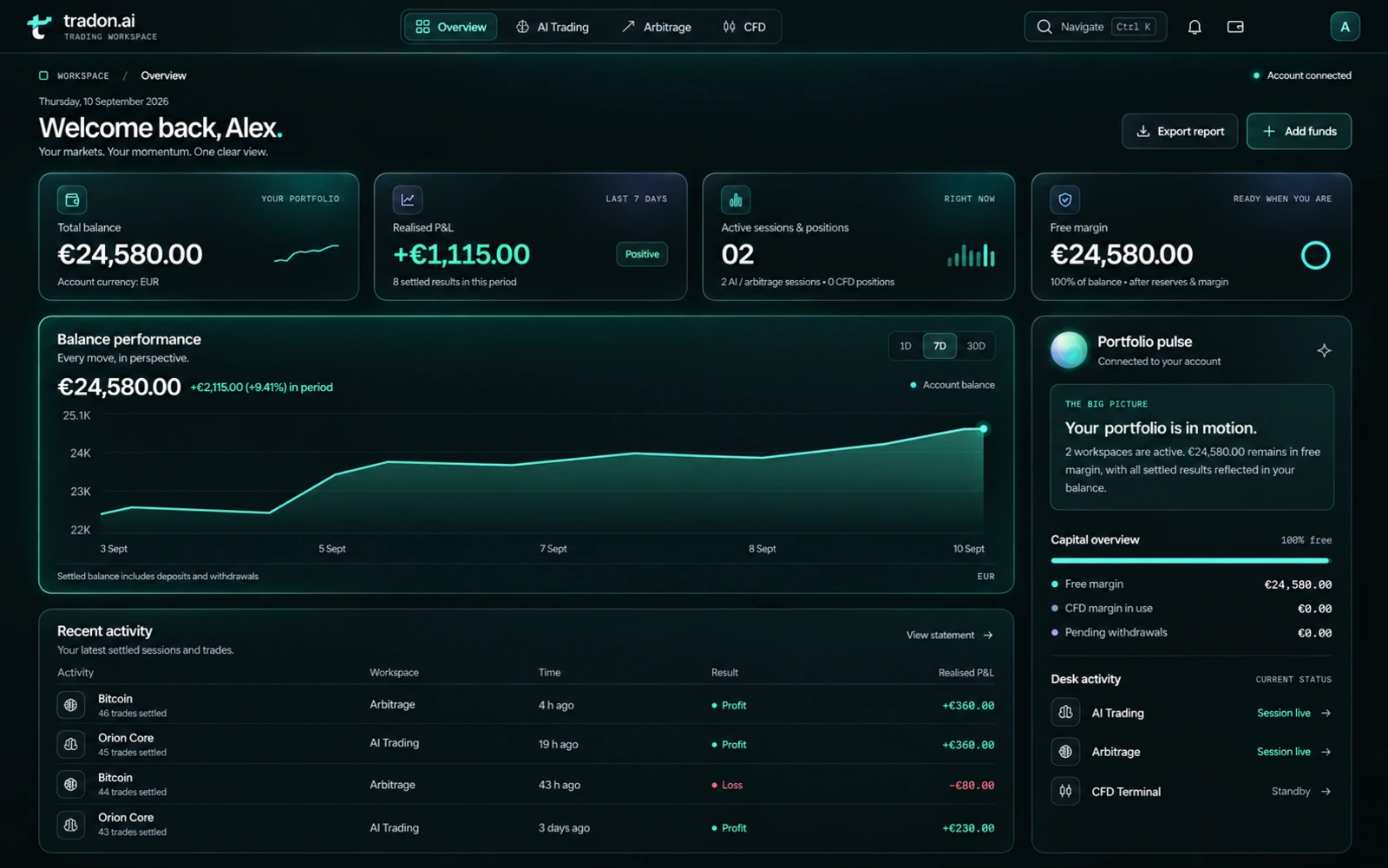
01 / OVERVIEW
Your account. In perspective.
Start with a complete view of your account. Balance, available capital, performance and recent activity come together in one clear dashboard.
See the account picture
Review your balance, allocated capital and available funds together.
Follow every movement
Move from recent activity to the account statement for a closer look at each entry.
Open Overview02 / AI TRADING ROOM
A clear view of every AI session.
Explore Orion, Vega and Lyra in a dedicated session workspace. Review model access, follow session progress and keep each result connected to your account.
Find your model
Review the models available to your account and the session settings before you begin.
Stay close to the detail
Follow session activity and review completed results in your account history.
Open AI Trading Room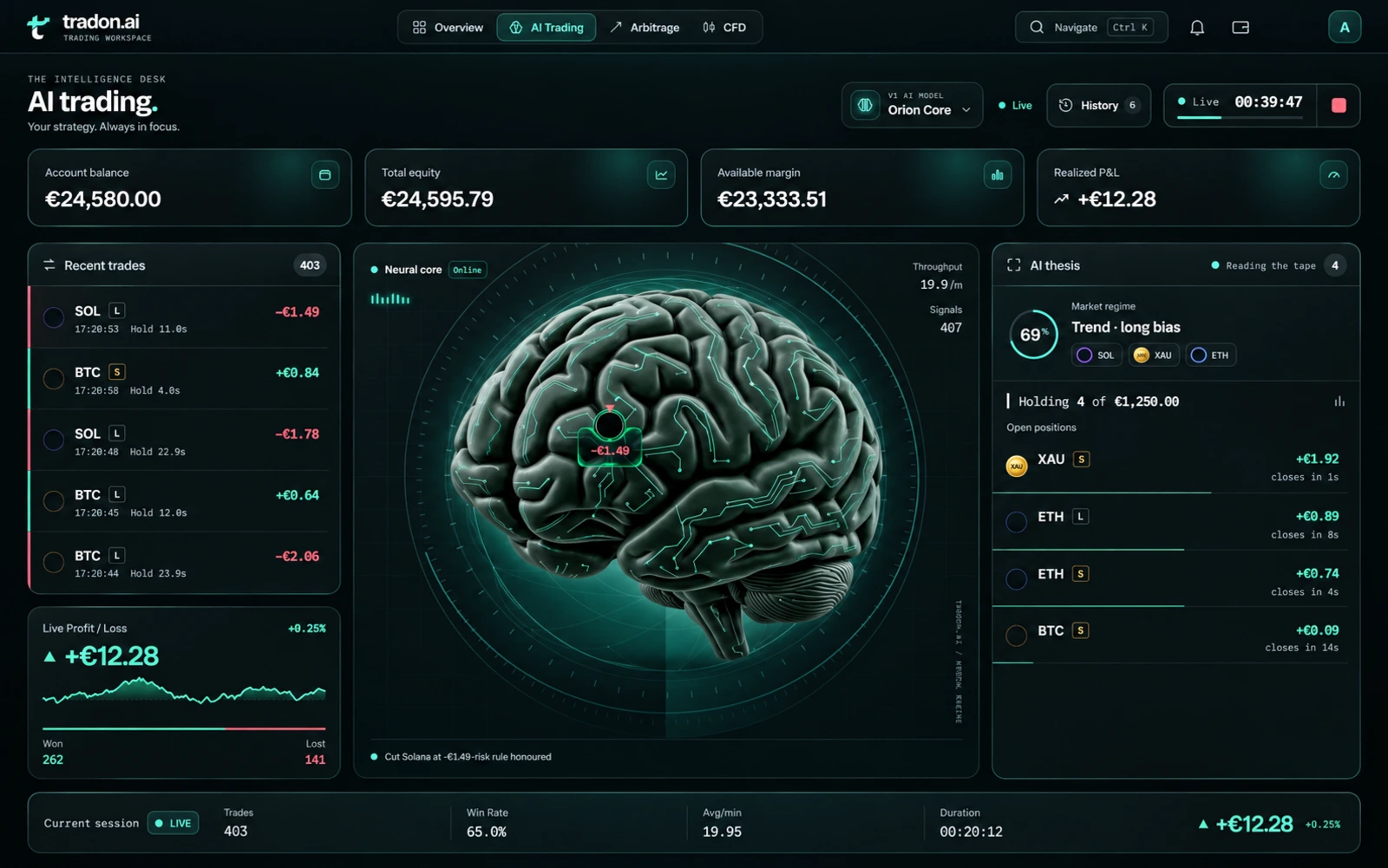
03 / ARBITRAGE DESK
See the space between markets.
Explore Bitcoin, Gold and Solana through a dedicated cross-market workspace. A global view brings instruments, venue references and session activity into focus.
Explore market relationships
Follow displayed spreads and instrument context across the venue map.
Track the session
Keep session progress and outcomes in view, then return to your account record.
Open Arbitrage Desk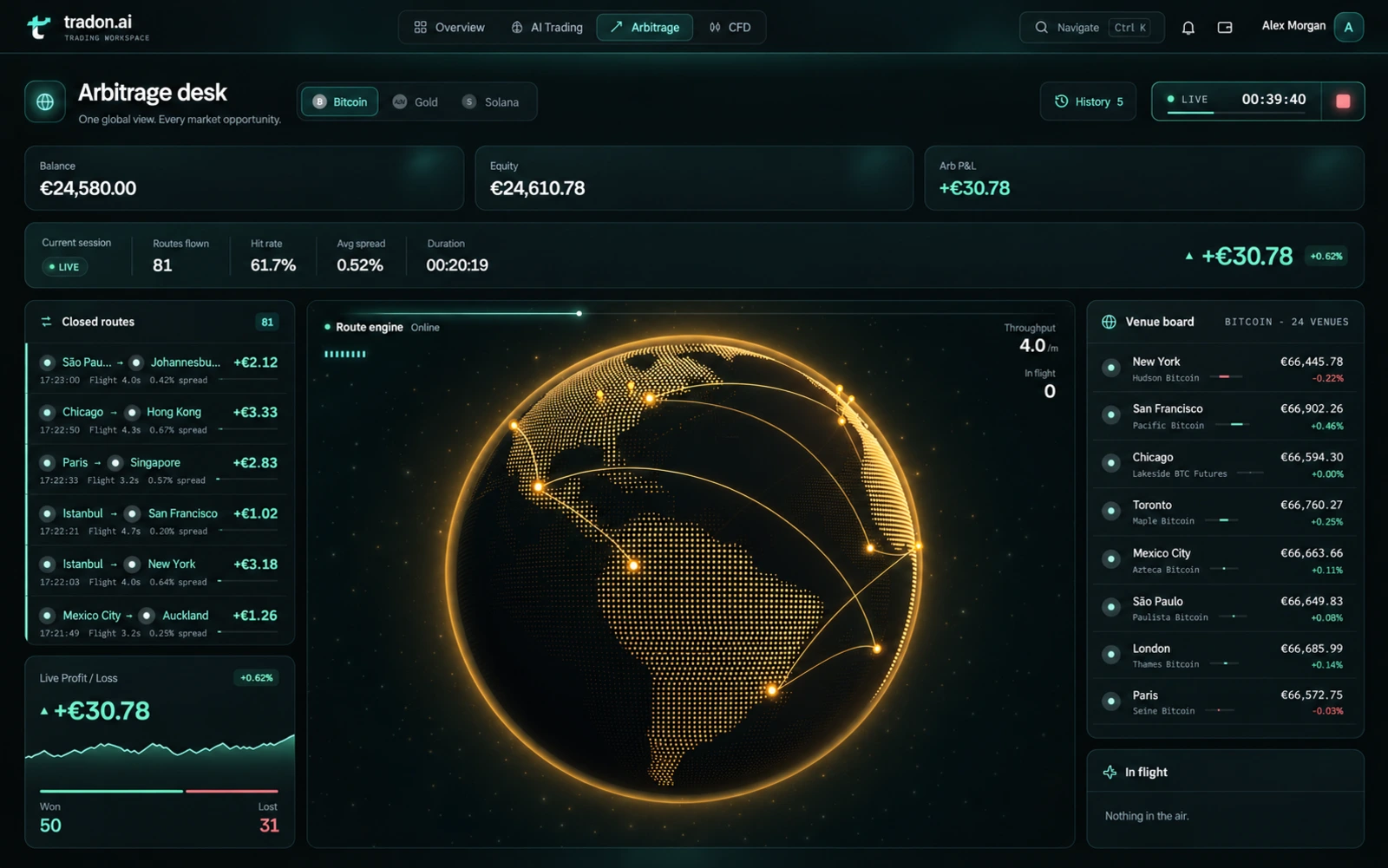
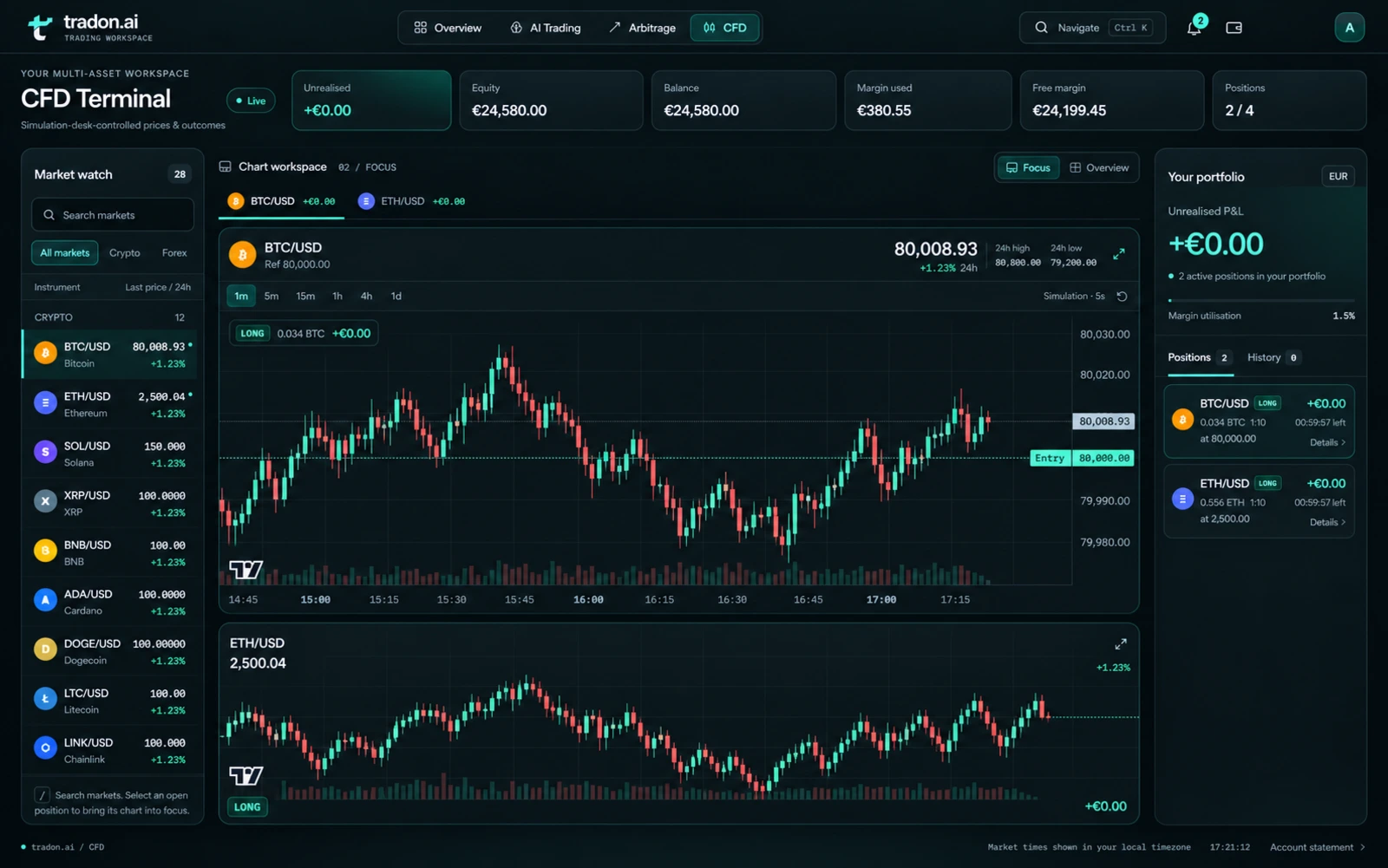
04 / CFD TERMINAL
More markets. One focused terminal.
Bring digital assets, currencies, commodities, indices and equities into a multi-window terminal. Follow instrument charts alongside your desk-managed positions.
Arrange your market view
Choose instruments and chart timeframes to create a workspace that fits your focus.
Follow position detail
Review position direction, timing and outcomes alongside the instrument chart.
Open CFD Terminal